
HONOR Phone Tips for Optimal Gaming Experience

Gaming on smartphones continues to thrive, with HONOR phones ranking high for their performance capabilities. Gamers can optimize their devices for a superior experience by adjusting some key settings and utilizing built-in features. HONOR phones offer a range of settings that can be fine-tuned for an immersive gaming experience. This guide details several actionable tips to enhance your gameplay, such as optimizing display settings, enhancing performance with Game Mode and GPU Turbo, managing battery life, utilizing advanced cooling systems, and customizing controls. If you’re looking to level up your mobile gaming, now is a great time to buy HONOR 400 Pro, a device designed to deliver exceptional performance. These practical insights are sure to transform how you game, providing smoother and more engaging play.
1. Optimize Display Settings for Enhanced Visuals
Adjust Screen Resolution
The resolution of your screen can have a significant impact on your gaming visuals. HONOR phones come equipped with options to adjust screen resolution. By heading into the display settings, you can choose between Full HD+ and even higher resolutions, depending on your device. High resolution ensures sharper and more striking visuals, providing an immersive gaming experience. However, bear in mind that higher resolution will also demand more power from your battery.
Set the Refresh Rate
HONOR devices often support high refresh rates, such as 90Hz or 120Hz, which are crucial for anyone serious about mobile gaming. A higher refresh rate refreshes the image more frequently, which means smoother visuals and a significant reduction in motion blur. Adjust your refresh rate in the display settings to match your game’s capabilities for maximal visual fluidity and responsiveness.
Activate HDR10+ or Dolby Vision
For richer color and increased contrast, activating HDR10+ or Dolby Vision on your HONOR phone is a game-changer. This setting enhances image quality by delivering deeper blacks and more vibrant hues, making your gaming environment come to life. Ensure your game supports HDR to fully benefit from these advanced visual enhancements. Go to your display settings and enable these options to unlock their potential.
2. Enhance Performance with Game Mode and GPU Turbo
Activate Game Mode
HONOR’s Game Mode is designed to boost your gaming experience by allocating system resources specifically for gaming. Turning on this mode minimizes interruptions from notifications, optimizes CPU usage, and enhances overall performance. You can enable Game Mode from the phone’s settings under the dedicated gaming section, ensuring an uninterrupted and streamlined gaming session.
Enable GPU Turbo
Exclusive to HONOR, GPU Turbo optimization technology improves graphic processing efficiency. This innovation delivers higher performance without elevated energy consumption. To activate GPU Turbo, look for it in the same settings area as Game Mode. Once enabled, your phone will handle complex graphics with ease, improving frame rate stability and overall visual excellence.
Close Background Apps
Keeping apps running in the background can hog valuable system resources and slow down your game. Before you start gaming, close unnecessary applications to free up memory and processing power. This simple step prevents lag and ensures your HONOR phone performs at its best for seamless gameplay.
3. Manage Battery Life for Extended Gameplay
Enable Ultra Power Saving Mode
For extended gaming sessions, conserving battery life is crucial. HONOR phones come equipped with an Ultra Power Saving Mode that optimizes battery usage. Activating this mode limits background activity and reduces screen brightness, allowing you to play for longer without interruption. Access this option through the battery settings to maximize uptime during your gaming endeavors.
Optimize Battery Usage
You can further manage battery life by optimizing battery usage. Evaluate which apps are consuming the most power in your battery settings, and adjust accordingly. Limiting non-essential apps can prevent unnecessary battery drain, so you can focus on gaming. Regularly check and adjust these settings to keep your battery in top condition.
Utilize Fast Charging Features
When the gaming gets intense, and your battery runs low, fast charging can be your savior. HONOR phones support rapid charging technologies that significantly reduce charging times. Keep a charger handy to quickly boost your battery life, ensuring you’re ready to jump back into your game without long waits.
4. Utilize Advanced Cooling Systems for Sustained Performance
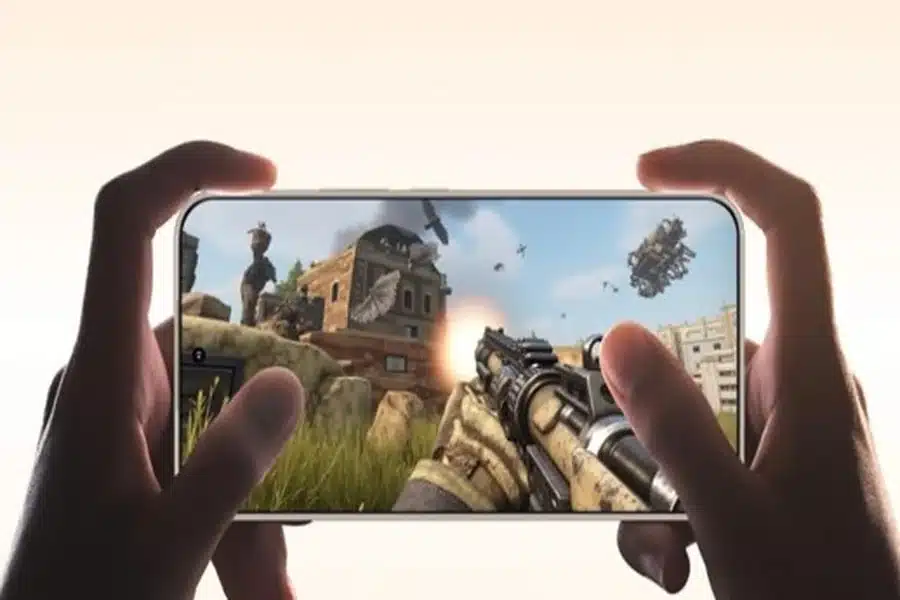
Explore HONOR’s Liquid Cooling Systems
HONOR phones often incorporate advanced liquid cooling systems to manage heat dissipation. Explore whether your device includes this feature and activate it if possible. By reducing potential overheating, HONOR’s liquid cooling improves performance stability for long gaming sessions. This functionality keeps your phone cool, allowing for uninterrupted gaming.
Maintain Optimal Device Temperature
Keeping your phone at an optimal temperature is essential for sustained performance. Avoid exposing your device to extreme heat or operating under direct sunlight. Ensure good ventilation while gaming by keeping your phone on a flat, hard surface. Monitoring your device’s temperature will prevent thermal throttling and performance drop-offs.
Use Cooling Accessories
Enhance your cooling system with accessories such as cooling fans or cases designed to dissipate heat efficiently. These accessories can further maintain a stable temperature during prolonged gaming. Choose ones compatible with HONOR phones for immediate heat management, ensuring gaming consistency.
5. Customize Controls and Settings for Personalized Gameplay
Adjust Control Layouts
Different games demand unique control setups for the best experience. HONOR phones offer customizable control schemes, letting users adjust on-screen button placements to suit their preferences. By fine-tuning layouts for comfort and playstyle, players can significantly enhance their reaction time, accuracy, and overall gaming performance on HONOR devices.
Enable One-Handed Mode
HONOR phones support gamers with various control styles. For single-handed play, enabling One-Handed Mode adjusts the screen layout for better reach and comfort. This feature enhances gameplay by making controls more accessible, ensuring a smooth and efficient gaming experience even when using just one hand.
Regularly Update Device Firmware
Keeping your phone’s firmware up-to-date is crucial for performance optimization. HONOR frequently rolls out updates that address bugs and enhance features. Regularly check for system updates in your settings to ensure your device has the latest enhancements and optimizations. This upkeep guarantees a consistently high-performance gaming experience.
Conclusion
By employing these HONOR phone tips, gamers can significantly elevate their mobile gaming experience. Fine-tuning display settings, utilizing performance enhancements like Game Mode and GPU Turbo, efficiently managing battery life, leveraging advanced cooling systems, and customizing controls all contribute to seamless, superior gameplay. With the right adjustments, your HONOR phone transforms into a powerhouse for gaming, capable of delivering flawless and immersive entertainment. Implement these strategies today and enjoy gaming like never before.