
How to block apps on iPhone when you’re raising a teenager
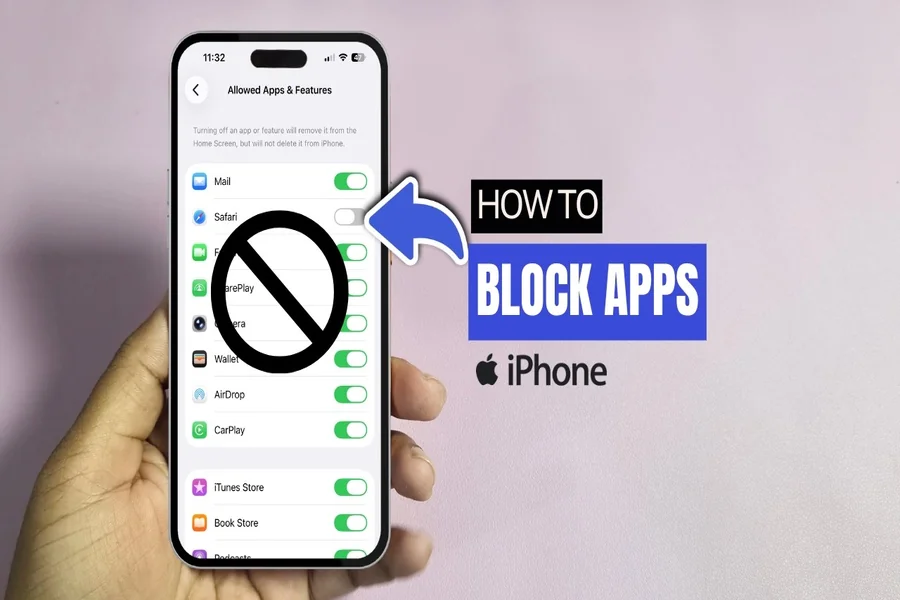
Thursday, 9:30 p.m. Jonah opens the game he’s been living in all week, and it doesn’t open. Nobody calls from the kitchen. Nobody asks for the phone. The rule was set on Sunday afternoon, when everyone was in a reasonable mood and nothing was at stake. That gap is the useful part of learning how to block apps on iPhone: the decision gets made while you’re calm, and it holds when you’re not in the room.
In Findmykids, a parent sets that up from their own phone. You choose which apps count toward the day’s screen time, set how long that day runs on school nights, and mark what stays open no matter what. When the time is used up, Jonah can’t open the apps you picked. Messages still work.
Decide what counts before you decide how long
Everything on a teenager’s phone lands in one of two piles:
1.Counts toward the limit — games, short video, whatever quietly absorbs an evening.
2. Always available — messages, maps, the phone itself, the ride app they use to get home from practice.
The limit covers the day as a whole, so the sorting matters more than the number. Three hours with everything in the first pile is strict. The same three hours with messaging left open is a normal evening plus room to make plans.
Sorting is worth doing slowly, with the actual phone in front of you, screen by screen. The easy calls are at the edges. The surprises sit in the middle: the app that’s half homework and half social life, the one that only gets opened on the bus, the group chat that lives inside a game. Decide those on purpose now, rather than at 9:31 on a Thursday with someone standing in the doorway making a case. You can also block sites rated 18+, turn off new installs, and keep the settings from being changed on the phone itself.
Look at the week before you pick a number
Once your teen’s phone is connected, the screen time picture is there for free: total time for the day, the apps that filled it, how the week looked day by day, even where the phone was in use. Pick the limit from that. A number taken from the week you actually had is much easier to defend at the dinner table than one you invented on the spot, and it tells you something before you change anything — that the long days are Wednesdays, say, or that most of it happens between the last bell and dinner.
Build schedules around the week they actually have
Teenage weeks have a shape: school hours, practice, a Saturday shift, homework that genuinely happens on a phone. You can set one schedule for school time and another for sleep, choose which days each one covers, and block apps right now when something’s going on — dinner, a driving lesson, the hour before a test.
And when your teen asks for more time for something real, you can add time to the current day without dismantling the schedule. That part matters more than it sounds. A setup that can say yes is a setup that’s still running in the spring.
Expect to renegotiate, and give it a time slot
Teenagers argue with rules. That isn’t a malfunction, and the rule isn’t failing when it happens. What helps is giving the argument somewhere to go. Once a week — Sunday is good, because nothing is on fire — open the screen time picture and look at it together.
Let them see the same numbers you see. Some of what looks like a wasted hour turns out to be a group chat about a project. Some of it is a video watched three times because they’re actually learning something. And some of it is exactly what you thought it was, which is a much easier conversation when the number is on the screen instead of in your head.
Then change one thing. Move the school-night limit by half an hour. Pull an app out of the counted pile, or move one in. A rule that gets adjusted out in the open stays a rule. A rule that never moves is one your kid will route around.
The other half of the answer
Blocking apps is one part of what parents of teenagers are actually managing. The other part is range: a kid who gets themselves to school, to a shift, to a friend’s house across town.
On the map you see where your teen is now and the route they took. You mark the places that repeat — school, practice, work, a grandparent’s house — and you get a notification when they arrive and when they leave, which replaces the text you were about to send. Saturday ends up looking like this: he gets to the shift, you see it, and you don’t ask. He clocks out, you see that too, and the evening starts without a check-in call neither of you wanted.
If the way home isn’t the usual way home, you hear about it. When they don’t pick up, the Loud Signal comes through even on silent, which is the default state of a teenager’s phone. There’s an SOS button on their side, a heads-up when their battery is running low, and family circles, so both parents and an older sibling are looking at the same map instead of calling you to ask.
What Apple’s own settings cover
Screen Time is built into every iPhone and it’s free, so it’s worth knowing what it does: downtime, app limits, a passcode on top. What it doesn’t do is leave the device. It won’t show you where your kid is after practice, and it won’t make a phone ring when it’s sitting on silent in a backpack. Findmykids keeps the limits and the map in one app, so the screen rules and the “are you on your way?” question live in the same place.
Tell them what you set
A limit your teen knows about is a rule. The same limit discovered at 9:30 on a Thursday is a puzzle to be solved, usually by a kid with more patience for puzzles than you have. None of this is built for watching someone without their knowledge — it’s built so a parent can stay close while a teenager gets more room. With this age, the conversation about what’s on and why isn’t a nice extra. It’s part of the setup.
Do our phones have to match?
No. Yours can be an Android while theirs is an iPhone.
Can I give extra time for one night?
Yes — you add time to the current day, and the schedule you built stays as it is for tomorrow.
Will my teen notice the limits?
The first time an app doesn’t open, yes. Which is a good reason to say it out loud on Sunday rather than letting Thursday explain it for you.
The screen time picture is free once your teen’s phone is connected. The limits, schedules and 18+ site blocking are part of the paid plan. Findmykids is in the App Store and on Google Play, and your own phone doesn’t have to be an iPhone.
Set it up on a Sunday, with your teenager in the room, and start from the week you already have rather than the week you’d prefer. You can move the number later. That’s a much smaller job than rebuilding a rule everyone has stopped believing in.