
How to Use a YouTube Transcript Extractor for Effortless Video Transcription

We live in a world where video is king—especially across platforms like social media, marketing, and education. Every day, millions of videos are uploaded to YouTube, covering topics from tutorials and lectures to marketing campaigns and entertainment. For content creators, marketers, educators, and researchers, extracting the spoken content from these videos is crucial. That’s where a YouTube transcript extractor comes in—it takes video audio and turns it into clean, readable text, instantly. You can use these transcripts for blog posts, study material, SEO optimization, content repurposing, and accessibility purposes.With the rise of remote learning and online marketing, having text-based versions of video content is no longer optional, it’s essential. This helps people to quickly scan content, repurpose it, and reach a wider audience.
What is a YouTube Transcript Extractor?
A YouTube transcript extractor is an online tool or software designed to automatically convert spoken words from a video into a text format. It works by analyzing the audio, recognizing speech, and generating a transcript with accurate text conversion. Some advanced tools also include timestamps and speaker labels, making it easy to follow the dialogue in multi-speaker videos.Unlike manual transcription, which is time-consuming and prone to errors, a transcript extractor saves hours of work while maintaining accuracy. It also supports multiple formats like TXT, PDF, or Word, making it convenient for different use cases.So, what can you actually do with a YouTube transcript extractor? A lot more than you think:
- Create readable text versions of video content for easier reference.
- Repurpose video content into blogs, social media posts, or eBooks.
- Improve SEO by identifying naturally used keywords in your videos.
- Make content accessible to a wider audience, including non-native speakers or those with hearing impairments.
Why You Should Be Using a YouTube Transcript Extractor
Using a YouTube transcript extractor provides numerous benefits for different users:
Time Efficiency: Instead of manually typing out every word, the extractor generates transcripts in minutes, even for long videos.
Content Repurposing: Video content can be transformed into blogs, articles, newsletters, or social media posts, saving time and resources.
SEO Optimization: Transcripts help identify keywords, key phrases, and topics that your audience searches for. This improves your website ranking and drives organic traffic.
Accessibility: Transcripts make videos accessible for hearing-impaired users, non-native speakers, or users in noisy environments.
Research and Analysis: Analyze competitors’ video content for insights, trends, and strategies, helping businesses stay ahead.
How Do You Pull a Transcript from a YouTube Video?
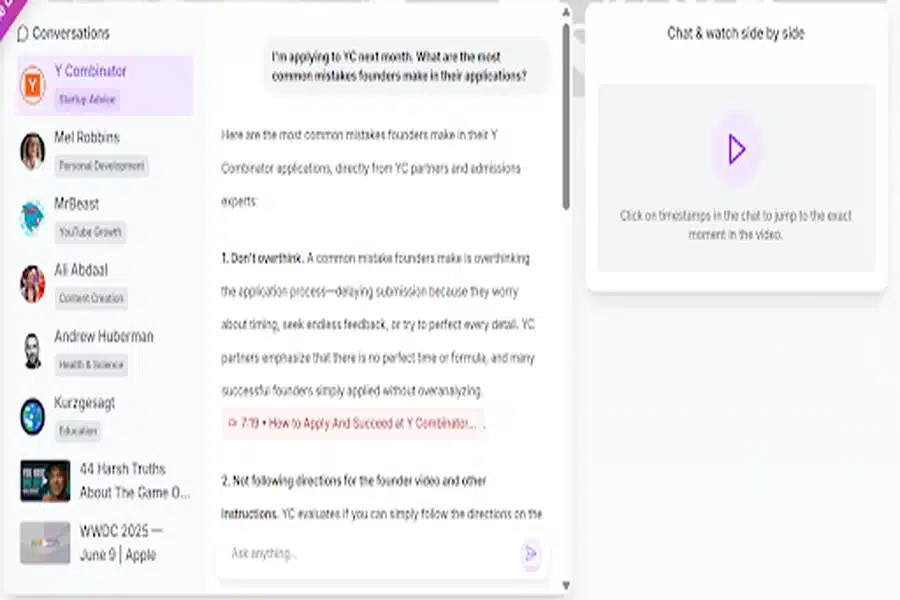
Extracting transcripts from YouTube videos is a simple process with the right tools. First, copy the URL of the video you want to transcribe. Next, paste it into a reliable , which will analyze the video’s audio and generate a complete text transcript. Many tools also provide timestamps and speaker labels to make the content easier to follow. Once the transcript is ready, you can download it in formats like TXT, PDF, or Word. This allows content creators, educators, and marketers to repurpose video content efficiently for blogs, articles, study materials, or social media updates without manually transcribing the audio.That way turns long and complex video content into simple, usable text that can be integrated into various projects. By repurposing content efficiently, creators can save time, reach wider audiences, and increase engagement across platforms.
Educational Uses
For students, teachers, and researchers, a YouTube transcript extractor is invaluable:
- Study Material: Convert lectures, tutorials, and educational videos into readable notes.
- Quick Reference: Easily find important points without watching the entire video.
- Collaboration: Share transcripts with classmates, colleagues, or study groups for collective learning.
- Inclusive Learning: Make learning accessible for students with hearing difficulties or those who prefer text-based study.
- Exam Preparation: Highlight key concepts from multiple videos to create customized study guides.
This functionality not only saves time but also enhances understanding and retention.
Business and Marketing Applications
Businesses can use a YouTube transcript extractor to boost marketing and operational efficiency:
- Content Marketing: Convert webinars, product demos, and promotional videos into articles, blog posts, or newsletters.
- Keyword Analysis: Extract frequently used terms and phrases for SEO campaigns.
- Customer Engagement: Share transcripts to make content clearer and more understandable for customers.
- Competitive Research: Analyze competitors’ video strategies and gain insights for your own campaigns.
- Training and Documentation: Convert internal training videos into manuals or reference documents for employees.
By using transcripts effectively, businesses can increase ROI from video content and improve communication across teams.
Tips for Effective Use
To get the best results from a YouTube transcript extractor, consider these tips:
- Edit and Review: Always check transcripts for errors and ensure proper formatting.
- Highlight Keywords Naturally: Integrate important phrases without overstuffing.
- Use Multiple Formats: TXT for editing, PDF for sharing, Word for documentation.
- Combine with Visuals: Pair transcripts with screenshots or infographics for engaging content.
- Organize for Easy Access: Keep transcripts categorized by topic or date for future reference.
Final Thoughts
A YouTube transcript extractor is an essential tool for anyone dealing with video content. It saves time, enhances productivity, and opens up new possibilities for content repurposing, SEO, accessibility, and marketing strategies. By integrating this tool into your workflow, you can transform videos into valuable textual content efficiently and accurately.