
10 Essential Gaming Accessories Under $100 for Casual Players

You don’t need to spend thousands to level up your gaming experience. While hardcore gamers might invest in top-tier setups, casual players can make smart, affordable upgrades that actually improve gameplay without emptying their wallets.
The sweet spot is under $100 per accessory. At this price point, you’re getting quality that matters without paying for features you’ll never use. Let’s look at ten accessories that’ll make your gaming sessions more comfortable, organized, and enjoyable.
1. Quality Gaming Headset with Mic
This is the one upgrade every gamer should prioritize. Good audio doesn’t just make games more immersive—it gives you a competitive edge by letting you hear footsteps, gunfire direction, and environmental cues you’d otherwise miss.
For casual players, you don’t need wireless or surround sound. A solid wired headset delivers excellent audio quality and reliable performance. The built-in microphone matters more than you think, especially if you play any multiplayer games where communication with teammates makes the difference between winning and losing.
Comfort is crucial here. You’re going to wear these for hours at a time, so padded ear cups and an adjustable headband aren’t luxury features—they’re necessities. Look for earphones with microphone that balance sound quality with all-day wearability, and you’ll wonder how you ever gamed without them.
2. Ergonomic Mouse Pad (Extended)
That tiny mouse pad you got free with something years ago? It’s holding you back. An extended mouse pad gives you room for sweeping mouse movements without constantly repositioning or worrying about running out of space.
The best part is how it transforms your desk aesthetic. Extended pads create a unified surface for both your keyboard and mouse, protecting your desk while giving you a consistent glide surface. Many come with stitched edges that prevent fraying, so they’ll last for years.
3. Blue Light Blocking Glasses
Your eyes weren’t designed for staring at screens for hours. Blue light blocking glasses reduce eye strain, headaches, and that gritty feeling you get after long gaming sessions.
For casual players looking to enhance their gameplay without overspending, investing in reliable and responsive controllers can make a huge difference. Brands like Razer gaming controllers offer affordable yet high-quality options that deliver better precision, smoother inputs, and improved ergonomics compared to standard controllers. These budget-friendly accessories help elevate the gaming experience, whether you’re playing on a console, PC, or mobile device, making them a smart addition to any casual gamer’s setup.
Upgrade your audio setup with a high-quality USB microphone, perfect for streaming, podcasting, gaming, or professional recordings. Easy to connect and compatible with most devices, a USB microphone delivers clear, crisp sound without the need for extra equipment. Ideal for both beginners and experienced users, it provides reliable performance and convenience for any audio project.
4. Controller Charging Station
Nothing kills momentum like your controller dying mid-game. A charging station keeps your controllers topped up and creates a dedicated home for them when you’re done playing.
The visual upgrade matters too. Instead of controllers scattered around with cables everywhere, you’ve got a clean, organized charging hub. It’s a small thing that makes your setup look intentional rather than chaotic.
5. Cable Management Clips/Sleeves
Tangled cables are the enemy of a clean gaming setup. Cable management solutions are cheap, easy to install, and instantly make your space look professional rather than messy.
Use clips to route cables along the back of your desk and sleeves to bundle multiple cables together. When everything has its place, your setup looks better and you’ll never accidentally yank a cable out mid-game.
6. RGB LED Strip Lights
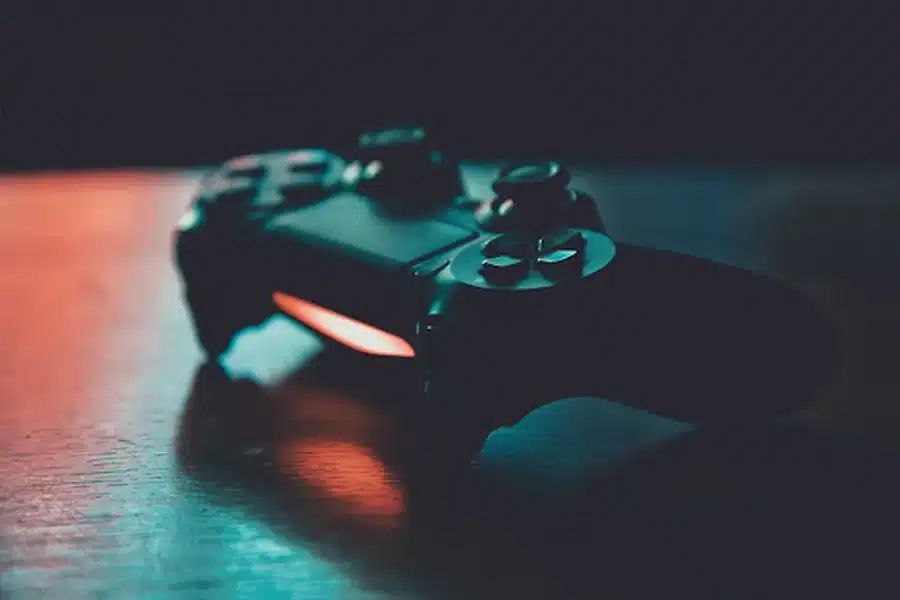
Ambient lighting isn’t just for aesthetics—it actually reduces eye strain. Having a light source behind your monitor creates less contrast between your bright screen and dark room, making gaming easier on your eyes.
RGB strips are ridiculously affordable now and most come with adhesive backing for easy installation. You can match the colors to your game or mood, and honestly, it just makes gaming feel more immersive.
7. Laptop Cooling Pad
If you game on a laptop, a cooling pad is essential. Laptops throttle performance when they overheat, meaning you’re getting lower frame rates and sluggish response times just when you need peak performance.
A cooling pad with quality fans keeps temperatures down, maintains consistent performance, and extends your laptop’s lifespan. It’s preventive maintenance that costs less than replacing overheated components.
8. Monitor Stand or Arm
Your monitor should be at eye level, not angled up from your desk. Proper positioning prevents neck strain and gives you better viewing angles for spotting enemies or details in-game.
Monitor stands also reclaim desk space underneath for storage or your keyboard when not gaming. Arms go further by letting you adjust position on the fly, but even a basic stand makes a noticeable difference.
9. Budget Mechanical Keyboard
Once you’ve tried mechanical switches, membrane keyboards feel mushy. You don’t need a $200 enthusiast board—budget mechanical keyboards under $100 deliver that satisfying tactile feedback and faster response times.
They’re also more durable. Mechanical switches are rated for tens of millions of keystrokes versus a few million for membrane keyboards. You’re investing in something that’ll last.
10. DIY Cable Solutions for Custom Setups
For those who want total control over their cable lengths and really clean setups, making custom cables is surprisingly accessible. Getting exactly the right cable length eliminates excess wire clutter completely.
While it requires a small initial investment in tools like cable crimpers, you can create perfect-length USB, ethernet, or power cables tailored to your exact setup. It’s a weekend project that takes your cable management from good to outstanding.
Bonus: Bigger Gaming Furniture Upgrades
Once you’ve nailed the essentials, some casual players get serious about their setup comfort. These larger investments go beyond accessories but can transform your gaming experience.
Racing Cockpit/Sim Racing Seat

For racing game enthusiasts, a dedicated cockpit setup changes everything. These rigs hold your wheel, pedals, and monitor at perfect angles, giving you that genuine racing position. Budget options start around $200-300, which technically breaks our $100 rule, but the immersion factor is unmatched.
Dedicated Gaming Desk
A proper gaming desk with cable management, monitor mounts, and ergonomic height makes a massive difference. The challenge is these pieces are heavy and awkward to maneuver, especially if you live in an apartment or multi-story home.
Gaming Chair
While not under $100, a quality gaming chair is the ultimate comfort upgrade. Just know that assembling and positioning these bulky items can be trickier than it looks.
Pro tip: If you’re upgrading to larger gaming furniture like cockpits, full desk setups, or moving your entire gaming station to a new room or home, don’t underestimate how heavy and awkward these pieces are. Many gamers find that hiring Sydney furniture movers who know how to handle electronics and gaming equipment safely is worth it, especially when you’ve invested in quality gear you don’t want damaged on the stairs.
Start Small, Upgrade Gradually
You don’t need all ten accessories tomorrow. Pick the one or two that’ll make the biggest immediate difference—usually the headset and ergonomic upgrades—then add more as your budget allows.
Gaming should be comfortable and enjoyable, not a test of how much discomfort you can tolerate. These affordable accessories prove that better experiences don’t require premium prices.