
What Should Creators Expect From the Next Generation of Anime AI Models?
Every time a new anime AI model drops, it promises crisper details, better prompt adherence, and total creative control. On top of that, the launch demos always look spectacular.
Unfortunately, a handful of cherry-picked images don’t exactly tell you how a model actually handles a messy project two weeks down the line.
PixAI’s Tsubaki.3 and other next-generation models are designed to close this gap. They meet creators’ need for consistency while letting multiple characters interact without the composition falling apart.
Here are the practical shifts worth watching, and you can test them using the newly released Tsubaki.3 model via PixAI.
Better at following instructions
Prompting has always involved some trial and error. You can start by describing the character, outfit, pose, setting, camera angle, lighting, and mood to find out which parts the model actually understood.
We expect future models to handle all of those instructions much better. It’s likely to also change how creators write prompts.
Most newer models use natural language, and next-generation AI anime models are expected to make it even easier to describe your character and action.
Instead of spending more time describing what you want to happen in a scene, the AI will quickly produce your art, giving you more time to refine the result.
That does not make prompting irrelevant. Good results still depend on knowing how to describe a visual idea, spot mistakes, make adjustments, and understand how a particular model responds to instructions.
More reliable character consistency
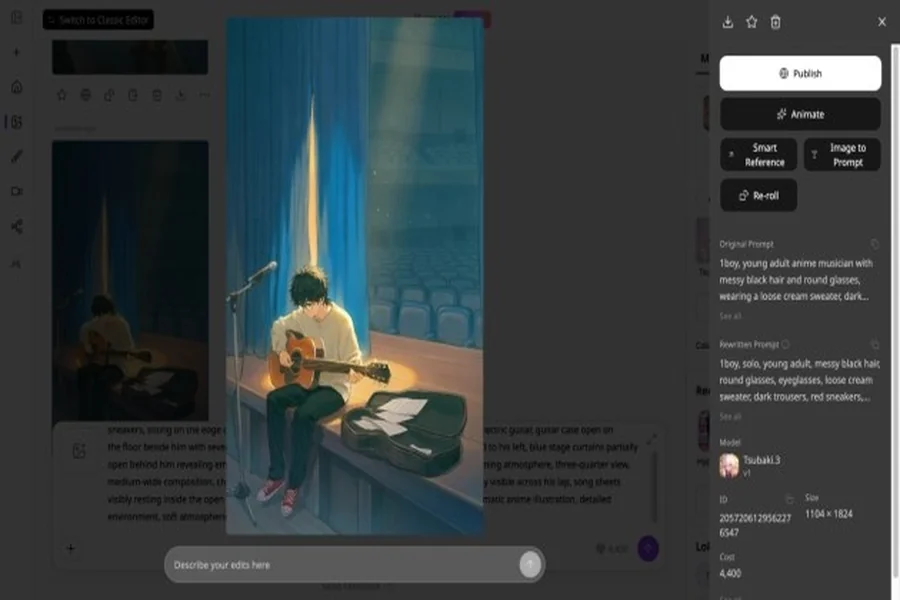
Character consistency becomes increasingly important once you start creating more than isolated images. It lets your original character appear in a portrait today, a full-body illustration tomorrow, and a completely different scene next week and remain recognizable throughout the project.
This is especially useful for manga projects, visual novels, character collections, social content, and other work built around recurring characters.
A strong model should keep your character recognizable across those changes. Most newer models now support reference images, and character-focused tools can give you more control over what the model should preserve.
Better handling of complex scenes
Generating one character against a simple background is a relatively controlled task. Things get much harder when several characters need to interact inside the same image.
In addition, newer models offer better composition understanding. This helps them follow instructions about where characters should stand, what they should be doing, and how they relate to the surrounding environment. This alone opens up more storytelling possibilities.
When testing a new model, try scenes with two or three characters. Give each person a clear role and action. Then see how closely the final image follows the arrangement you described.
More freedom across different styles
Anime covers a huge range of visual styles. A creator might want soft pastel illustrations for one project, a dramatic action style for another, or something closer to a classic cel-shaded look.
The next generation of AI models should give creators more room to explore those differences without constantly rebuilding their workflow around a completely different model.
This matters when developing a project because style experimentation often happens early. You may have the character and story figured out while still deciding how the finished work should look.
Easier editing and iteration
Almost no AI generation comes out perfect on the first try. You might love the character but hate the expression. Maybe the composition is spot on, but the outfit is completely wrong. Or perhaps the background is flawless, and you just need to fix the lighting.
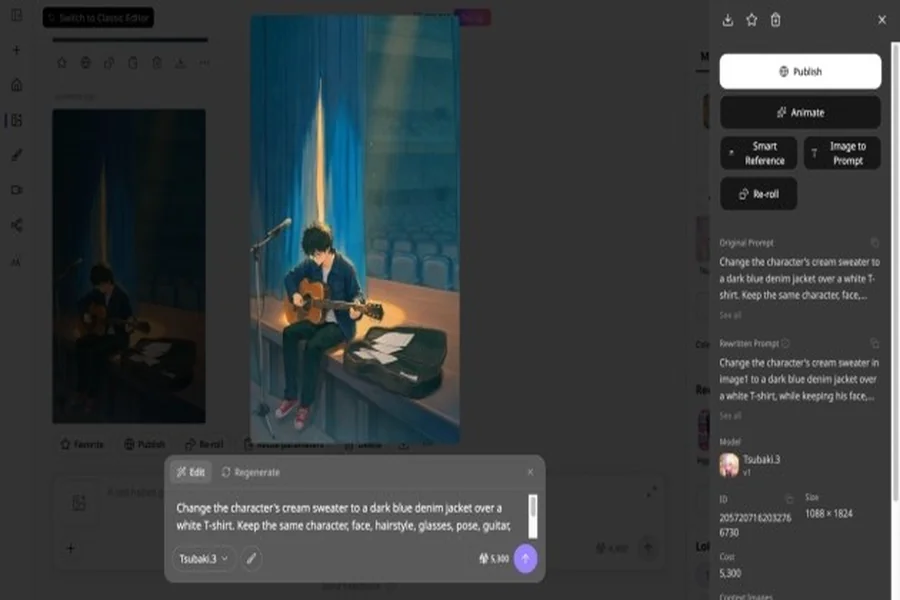
That is exactly why editing is the real future of anime AI. Creators need to take a solid base generation and keep building on it. Features like reference images, subtle variations, and PixAI’s targeted inpainting turn that first image into a starting point, not a disposable dead end.
PixAI’s workspace bundles generation, references, editing, LoRAs, and presets into one unified environment. It stops treating the initial prompt like the final word and gives creators actual tools to refine their work.
For simple editing, you can simply go to the character you created and write an editing prompt.
The workflow should save you time
Model speed gets plenty of attention whenever a new release appears. For creators, that matters less than the work involved in completing a task.
If a new model generates images quickly but requires ten attempts to get the character, composition, and prompt details right, you haven’t actually saved any time.
True speed is measured by how fast you get from your initial idea to a finished, usable piece of art. The next wave of anime AI will win by being the smartest at understanding exactly what creators want on the very first click.
What Tsubaki.3 gives creators
Tsubaki.3 is a current example of how the next generation of anime AI is addressing the problems creators care about beyond image quality. With the model now released in PixAI, creators can put those capabilities to the test through their own projects rather than judging it from launch images alone.
Instead of focusing only on how polished the first generation looks, pay attention to how Tsubaki.3 handles detailed instructions, recurring characters, multi-character scenes, different visual styles, and repeated revisions. These are the situations where a model’s usefulness becomes much easier to judge.
For a practical test, take a character you know well and generate several variations. Change the outfit, move the character into different environments, adjust the pose and expression, and alter the camera angle. Then introduce multiple characters into a single scene and see how well the model maintains their individual identities and relationships.
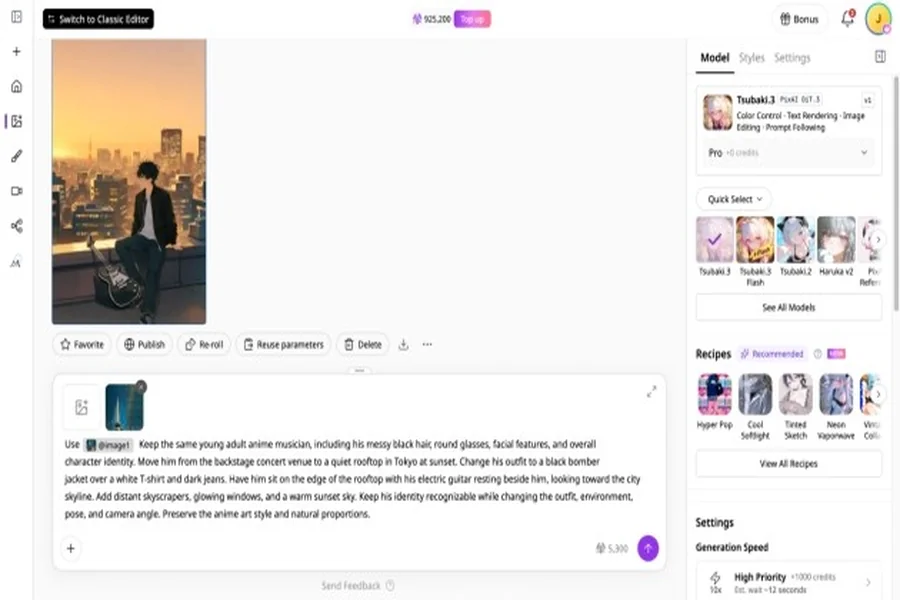
The same approach works for the other general expectations. Test the model with the kind of work you actually create and look at the entire process, from the first prompt through refinement and reuse. A launch image can show you what a model can produce. Your own workflow tells you how useful it is.
Put a new model through your own workflow
The easiest way to judge a new anime model is to give it work you already understand. Take a character you already have and recreate several scenes or write a detailed prompt to see how many important instructions survive. This will tell you more than a launch image can.
Now that Tsubaki.3 is available, creators can test it against the same real-world challenges they would use to evaluate any new model. Try it with recurring characters, complex scenes, different visual directions, and repeated revisions, then pay attention to where it saves time and where friction remains.
The next model you use does not have to win every comparison. What matters is whether it reduces the friction between your initial idea and the finished piece.