
How Restaurant Operators Evaluate an All-in-One POS Workstation
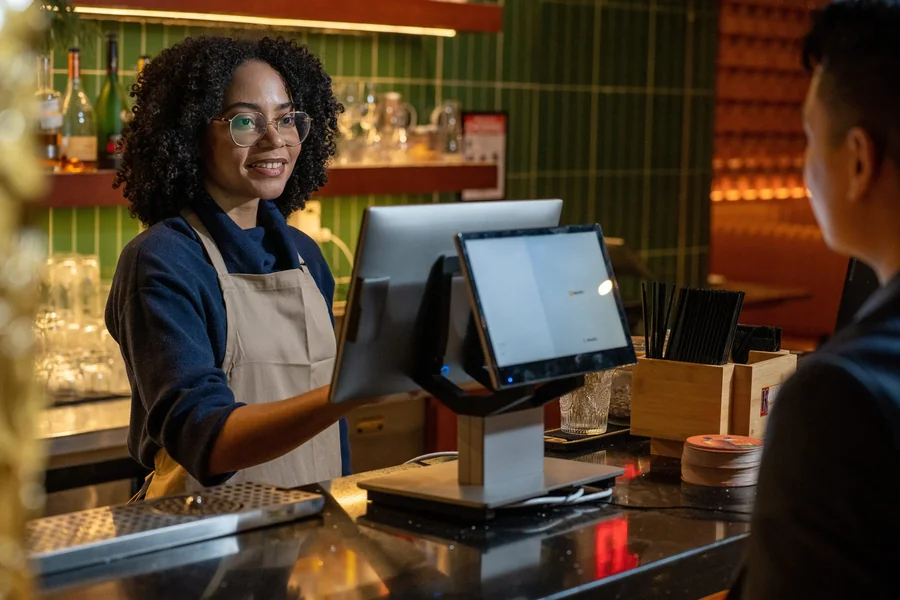
A restaurant point-of-sale workstation is not just a screen beside a cash drawer. It is the place where menus, payments, staff permissions, kitchen routing, reporting, and guest-facing workflows meet. When that station is slow or poorly configured, the problem spreads quickly: lines grow, modifiers are missed, and managers spend time correcting tickets instead of running the floor.
The practical way to evaluate a new workstation is to start with the restaurant’s operating model. A quick-service counter has different needs from a full-service dining room, and a single-location café should not be forced into the same deployment plan as a multi-unit group. The best choice is the one that supports the actual service sequence with the fewest workarounds.
Start With the Service Workflow
Map the path of a typical order before comparing hardware. Identify where the order begins, who adds modifiers, when payment is taken, which prep station receives each item, and how the guest gets a receipt. This exercise exposes bottlenecks that a feature checklist can hide.
For a counter-service restaurant, the main workstation must handle rapid item entry, clear modifier prompts, and fast payment handoff. A full-service restaurant may place more weight on table management, split checks, coursing, and coordination with mobile devices. Operators comparing a SkyTab Workstation for restaurants should therefore judge it within a complete front-of-house and back-of-house workflow, not as an isolated terminal.
Check the Hardware as a Working System
Screen size matters, but stability, port availability, cable management, and placement matter just as much. The workstation may need to connect with a cash drawer, receipt printer, customer-facing display, barcode scanner, or other peripherals. Every connection should be documented before installation so the team is not solving compatibility questions during a live shift.
The counter itself deserves attention. A terminal that blocks eye contact, crowds the pickup area, or leaves cables exposed can create a poor guest experience even when the software performs well. Test the position from both the employee and customer sides, and make sure the screen remains readable under the restaurant’s lighting.
Plan Menu and Modifier Design Before Training
A powerful workstation cannot compensate for a confusing menu database. Build categories around how employees search during service, not around an accounting hierarchy that only managers understand. Put common modifiers close to the item, require choices only when they are operationally necessary, and separate kitchen instructions from pricing options.
Use a small group of experienced employees to test realistic orders: substitutions, allergy notes, split items, voids, discounts, and multiple tenders. Their feedback will usually reveal more than a generic demonstration. Once the menu flow is stable, training becomes faster because staff learn a consistent process rather than memorizing exceptions.
Evaluate Payments, Permissions, and Accountability
Payment flow should be tested from order entry through settlement and reporting. Confirm how tips, refunds, partial payments, gift cards, and failed transactions appear to employees and managers. The team should know what happens when a transaction is interrupted and which actions require approval.
Role-based permissions are equally important. Cashiers, servers, shift leaders, and administrators should not all have the same access. Limit voids, discounts, reporting, and configuration changes to the people who need them. Clear permissions protect revenue and make it easier to understand who changed a ticket.
Look Beyond the Main Terminal
The workstation should fit into a broader system that may include mobile ordering, kitchen displays, online orders, loyalty, and reporting. Ask how information moves between those parts and what the staff sees when one component is unavailable. A clear recovery process is more valuable than a promise that technology will never fail.
Implementation support also matters. Smart Payment Solutions can be evaluated as a resource for hardware selection, payment integration, and deployment planning. Before signing, define the installation scope, training responsibilities, escalation path, and ownership of future menu or device changes.
Make the Decision With a Live-Shift Test Plan
A final decision should be tied to observable outcomes: fewer entry errors, cleaner kitchen routing, quicker manager approvals, and a simpler payment handoff. Create a short acceptance checklist and run it before go-live. Include opening, peak service, shift change, closeout, and a simulated connectivity issue.
Restaurant technology works best when the operating process is designed first. By testing the workstation as part of the entire service chain, operators can choose a system that supports employees, gives guests a clear checkout experience, and remains manageable after the installation team leaves.