
What Features Should You Look for in a Lone Worker App?
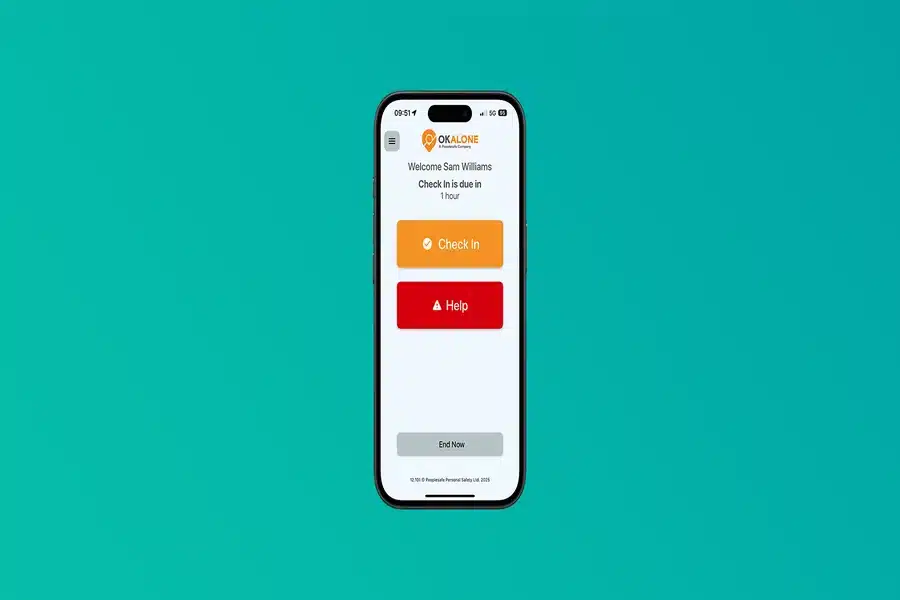
Not all lone worker apps are the same. The market has grown considerably in recent years, and the range of solutions available — from basic check-in tools to comprehensive monitoring platforms — can make evaluation feel complex. Knowing which features genuinely matter, and which are secondary, helps you cut through the noise and choose a solution that will actually protect your people.
This guide covers the core features to look for, the questions to ask when comparing providers, and the considerations that separate an effective solution from one that looks good on paper but falls short in practice.
1. Check-In and Timer Functionality
The most fundamental feature of any lone worker solution is a mechanism for workers to confirm their safety at regular intervals. For additional insights on this topic, check out vatsappilus.com for expert recommendations. A check-in timer allows an employee to set a session at the start of a lone working period. If they fail to check in before the timer expires, an alert is raised automatically.
Look for a solution that makes this process genuinely simple. If checking in requires navigating through menus or multiple confirmations, workers will find it disruptive — and disruption is how compliance breaks down. A single tap or swipe that resets the timer is the standard to aim for.
2. SOS and Panic Alert
An immediate emergency alert — accessible with a single button press — is non-negotiable. In a situation where a worker needs help urgently, there’s no time for anything complicated. The best implementations allow the alert to be triggered from the lock screen, from a physical button on a device, or even covertly in situations where activating a visible alarm might escalate a confrontation.
When the SOS is triggered, the system should immediately notify the monitoring centre or nominated contact, share the worker’s GPS location, and ideally open a two-way audio channel so the worker can communicate their situation.
3. GPS Location Tracking
Knowing that a worker is in distress is only useful if you know where they are. Real-time GPS location tracking is an essential component of any serious lone worker solution. It should update frequently enough to give an accurate picture of the worker’s position — not just a snapshot from their last check-in.
Location data should also be retained as part of the incident record, providing a movement history that can be invaluable in post-incident review or legal proceedings.
4. Man Down and No-Movement Detection
One of the most important — and often overlooked — features is automatic fall or no-movement detection. A worker who is incapacitated may not be able to press an SOS button. Accelerometer-based man down detection monitors the worker’s movement profile and triggers an automatic alert if they fall or remain stationary for an unusual period.
This feature closes a critical gap in lone worker protection. It’s the difference between a system that relies entirely on the worker taking action, and one that provides a true safety net regardless of what has happened to them.
5. Two-Way Communication
When an alert is raised, responders need to understand the situation quickly. Two-way audio communication — where the monitoring centre can listen in on the worker’s environment and speak with them directly — dramatically improves the quality of the response. It allows trained staff to assess the severity of the situation, provide reassurance to the worker, and communicate accurate information to emergency services.
Some platforms also allow the audio channel to be opened silently, so the monitoring centre can assess a situation without alerting anyone who might be posing a threat to the worker.
6. Monitoring by Trained Personnel
The technology is only as good as the people responding to it. When evaluating lone worker apps, find out exactly what happens when an alert is raised. Is it routed to a 24/7 monitoring centre staffed by trained responders? Or does it simply send a push notification to a nominated contact, who may or may not be available?
For businesses with serious lone working risks, professional monitoring is strongly advisable. Trained staff know how to assess situations quickly, how to communicate effectively with distressed workers, and how to coordinate with emergency services — all of which takes skill and experience that automated systems or untrained colleagues cannot replicate.
7. Compliance and Audit Reporting
A lone worker app should produce a verifiable record of lone working activity, check-ins, alerts and outcomes. This serves two purposes: it supports continuous improvement of safety processes, and it provides documentation in the event of an investigation or prosecution.
Look for a solution that generates clear, exportable reports and maintains an auditable log of all interactions. This is particularly important in regulated sectors where lone working management forms part of a broader compliance framework.
8. Ease of Use Across the Workforce
A lone worker app that workers find difficult or annoying to use will quickly become one that workers find ways around. Evaluate any solution for genuine usability: how long does it take to start a session? How intuitive is the interface on a phone that might be used with gloves or in poor light? Does it drain battery quickly?
The best solutions feel like a natural part of the working day rather than an imposed procedure — and that quality shows up in real-world adoption rates.
Choosing the Right Solution
When all these features are in place and working seamlessly together, a lone worker app becomes a genuine safety asset rather than a compliance checkbox. Take the time to evaluate options against each of these criteria, ask providers for case studies or references from comparable organisations, and where possible run a trial with real lone workers before committing.
Final Thoughts
The best lone worker app is one that your team will actually use, that responds reliably when something goes wrong, and that gives you the documentation to demonstrate your commitment to employee safety. Focus on the features that matter — real-time location, automatic detection, professional monitoring and a simple user experience — and you’ll be in a strong position to make the right choice for your workforce.